 birb.an app for iPad & iPhone
you, when your change shows up beside the editor.(tap for a new haircut)
birb. is an app for making iOS apps in Swift, right on your iPad or iPhone.
things you won’t need:
a Maca full build for every little change
a CAT app? on an iPad? go on then.
(the box is just for fun. the button is real.)
beat the bird
you’re red. go.
see it
Change a line. See it running right beside the editor.
(circled 3 times)
Local Preview is an interpreter that lives on your device. It runs your SwiftUI inside birb. and shows a real, interactive, native preview.
It runs real apps, too: BookPlayer and NetNewsWire. (links go to the apps’ own repos)
why an interpreter?
Swift can be compiled on an iPad. iOS just won’t run a freshly compiled program through the normal install. So birb. keeps your code as data, and its own runtime, already installed and allowed to run, runs it as real native UI.
the hard part:
drawing a view- behaving exactly like compiled Swift.
spin me ↻
the agent & co.
meet the rest of birb.
poke anyone.
Agnes
the agent. explores your project and works on code, on your device.
the fifty-plus club
AI providers. connect 50+, use the models you like. answers come from the one you pick.
Contessa
background work. switch apps; she keeps going, when iOS lets her.
Signe
device builds. an IPA for your registered device, signed with your Apple team.
Phoebe
your app, installed. runs on its own.
Mack
the Mac. stays home. he’s fine. he’s napping.
a real app
how an idea gets from your head to your phone
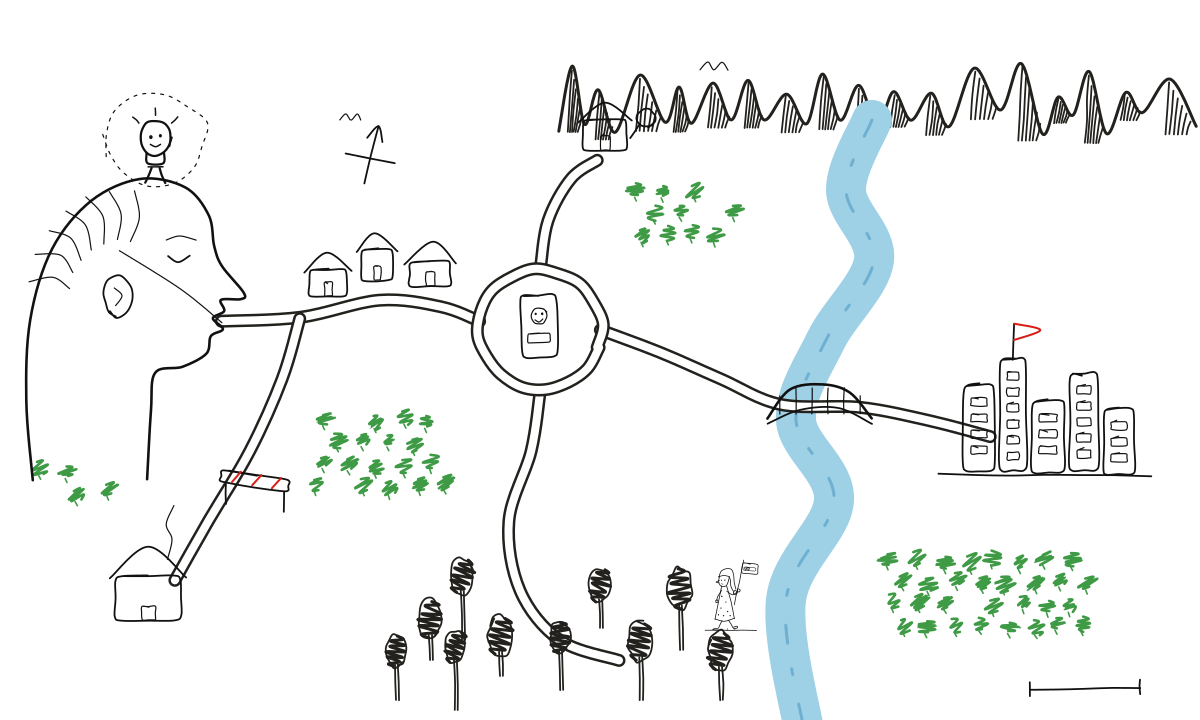
- your head
- Editor Lane (you write Swift)
- the Preview Roundabout, as many times as you like
- the Build Bridge (an IPA)
- Phone Town
Write Swift on the iPad (or iPhone) you already have.
plans: coming soon. no prices yet, and we’re not making any up.